> ## Documentation Index
> Fetch the complete documentation index at: https://dev.fbox.uz/llms.txt
> Use this file to discover all available pages before exploring further.
# Introduction
> Integration and API guides for FiscalBox fiscalization and billing
## Overview
FiscalBox documentation contains everything needed to connect POS systems with fiscalization, payment, reporting, and billing endpoints.
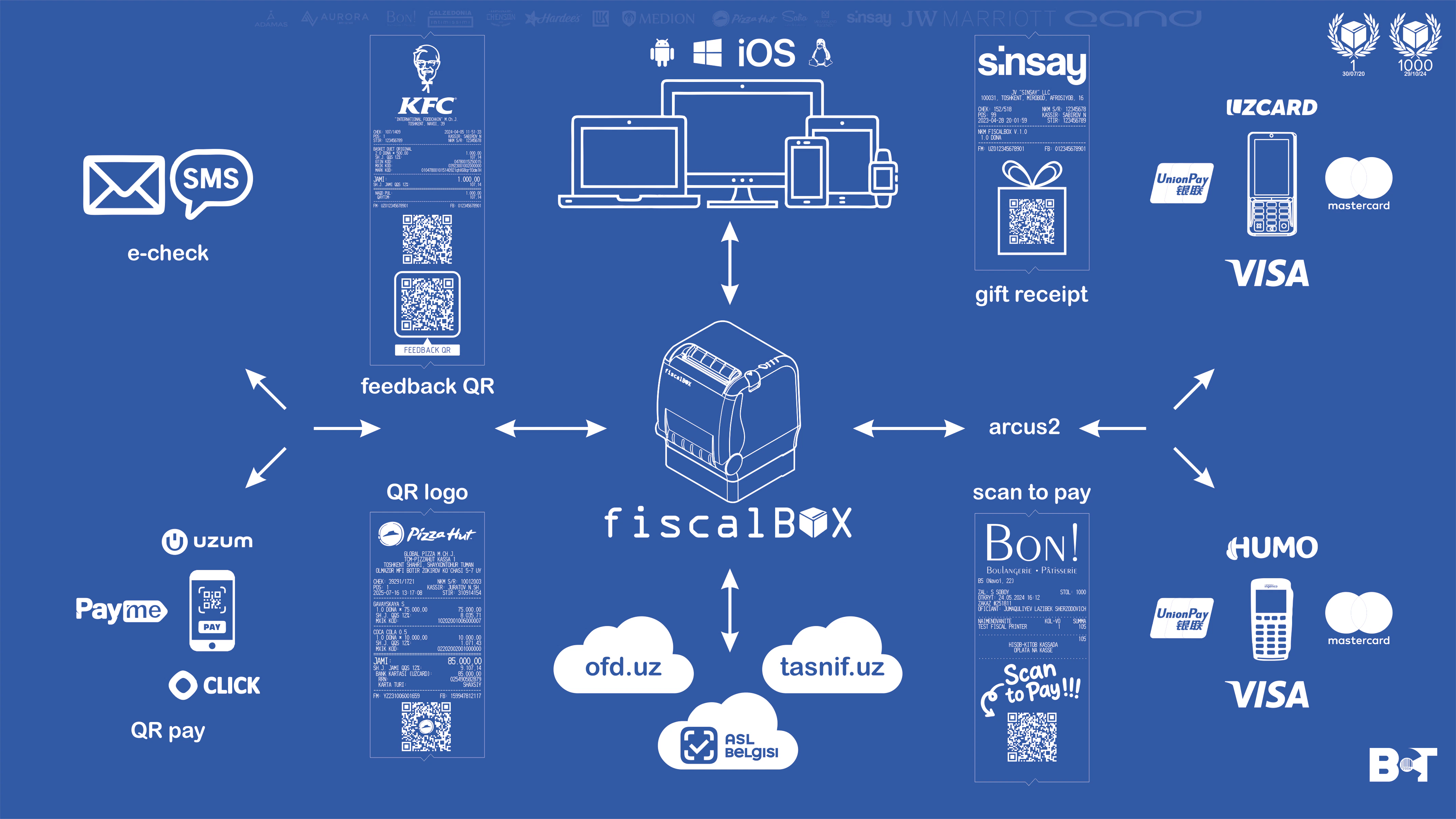 This project includes practical endpoint guides for:
* Order operations
* Payment providers (Click, Payme, Uzum, Anor)
* Reports (Z-report and related operations)
* Billing and utility tools
## Start Here
Set up your first end-to-end integration flow.
Run docs locally and keep pages aligned with API changes.
Read structure, auth notes, and endpoint categories.
Start with the core endpoint used in most integrations.
## API Sections
Here's how FiscalBox interacts with different systems.
This project includes practical endpoint guides for:
* Order operations
* Payment providers (Click, Payme, Uzum, Anor)
* Reports (Z-report and related operations)
* Billing and utility tools
## Start Here
Set up your first end-to-end integration flow.
Run docs locally and keep pages aligned with API changes.
Read structure, auth notes, and endpoint categories.
Start with the core endpoint used in most integrations.
## API Sections
Here's how FiscalBox interacts with different systems.
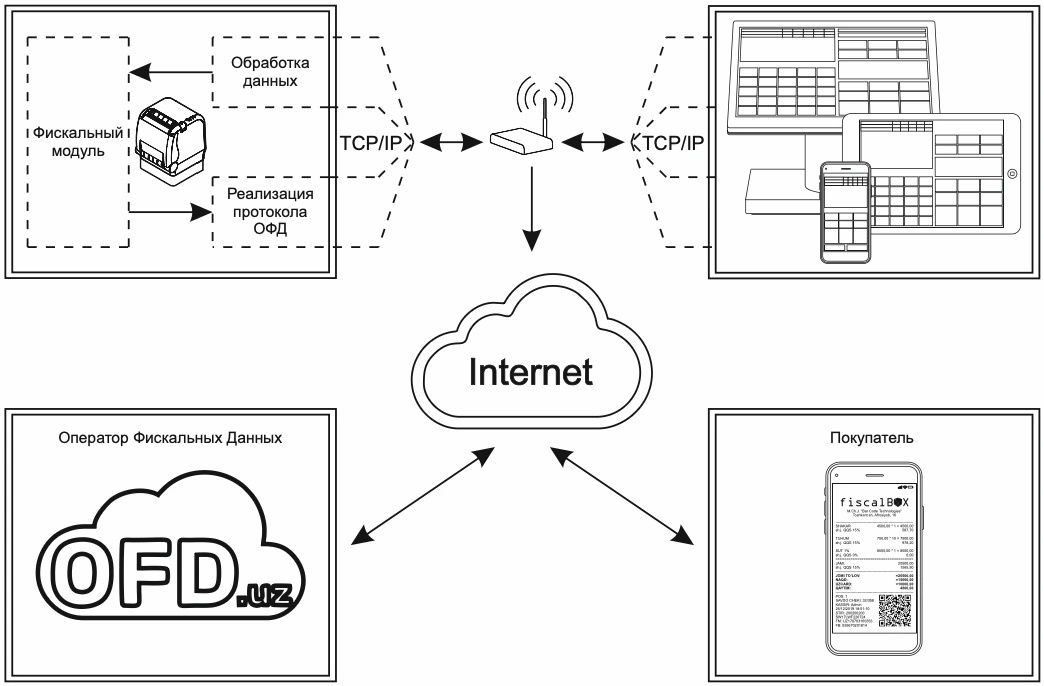 Create, print, and refuse receipts.
Provider-specific payment flows and fiscalization.
Open, close, print, and reconcile Z-report data.
Authentication and billing-related operations.
## External Resources
Register a new fiscal device.
Access billing admin panel.
Open test observation dashboard.
Create, print, and refuse receipts.
Provider-specific payment flows and fiscalization.
Open, close, print, and reconcile Z-report data.
Authentication and billing-related operations.
## External Resources
Register a new fiscal device.
Access billing admin panel.
Open test observation dashboard.